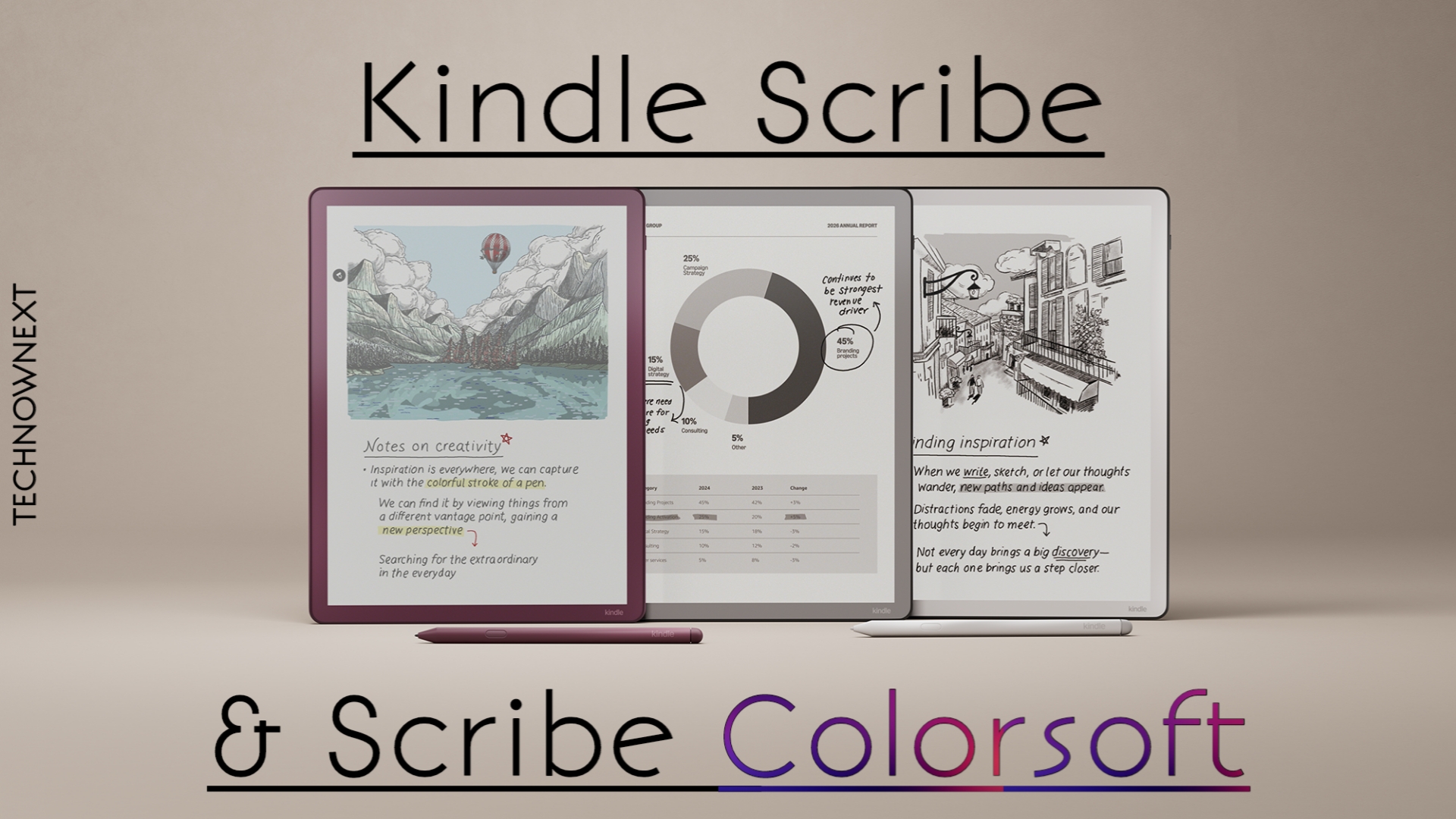
If you love reading and note taking, the new Kindle scribe lineup might be exactly what you have been waiting for. Amazon officially announced their new Kindle scribe series with two models – The Scribe and Scribe Colorsoft. The new Kindles add better pen feel, a thinner body, color e-ink on the Colorsoft, and upgraded AI software features for notes and PDFs. Both devices are available to purchase starting from December 10, 2025 in the US and most regions. Here’s what matters, what’s new over older models, and where you can buy them.
What’s new (Quick Specifications)
Color display: Both models have 11″ anti glare display but the Colorsoft comes with a paper-like color e-ink layer for soft high-contrast color (covers, diagrams, highlights). It’s just soft paperlike colors don’t expect OLED level clarity.
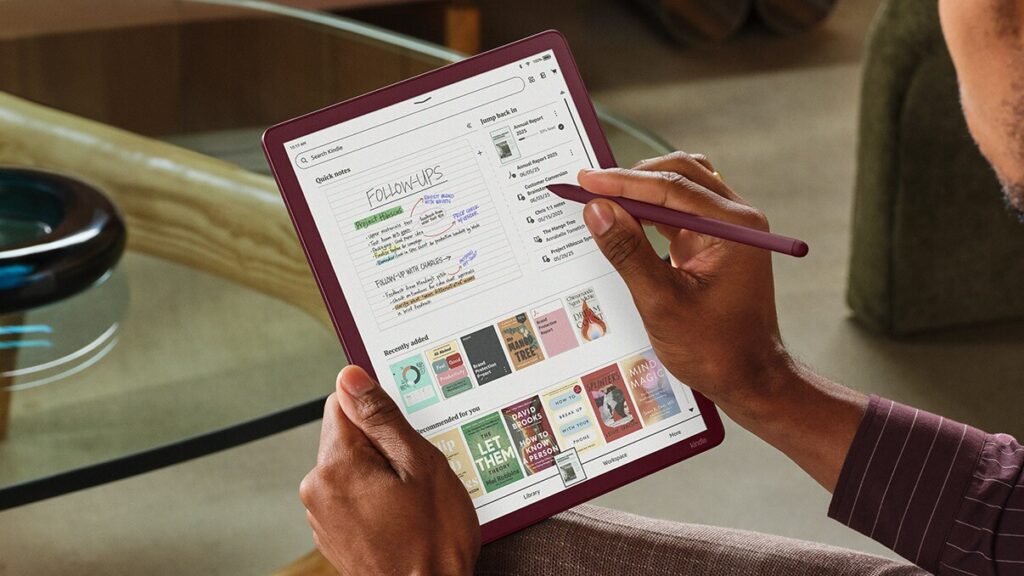
Improved pen & writing surface: Both models now have texture-molded glass and a redesigned Premium Pen with stronger magnets for a more natural pen-on-paper feel.
Thinner, lighter Body: the new Scribe models are about 5.4 mm thin and ~400 g, making them comfortable and easier to hold for long sessions.
Faster Processor & software upgrades: Under the hood a faster chipset and revamped display stack makes page turns faster, improves color rendering, handwriting responsiveness, and AI notebook features (summaries, search).
Improvements over older Scribe generation
Color support (new): older Scribes were bw only, Colorsoft adds usable, eye-friendly color for covers and simple diagrams.
Better pen latency & feel: Amazon changed the glass texture and pen magnets – writing feels closer to paper compared with earlier Scribe pens.
Refreshed minimal design: slimmer bezels and thinner body.
Upgraded AI features: Newer models have more powerful PDF annotation, handwriting-to-text improvements and AI notebook tools that weren’t as polished on older units.
Who should buy which model?
If you want the best large-format Kindle reading experience with solid note-taking and a lower price point, the scribe would be best for you. Great for heavy readers who annotate PDFs and books.
If color matters to you, you read color content like comics and manga you can go for the Colorsoft. Also pick Scribe Colorsoft for the improved pen feel if you take lots of handwritten notes.
Pricing & availability (US / UK / Canada)
Important: Amazon’s pricing and availability vary by region and units (storage, pen bundle, front-light options). These are manufacturer starting prices announced at launch, watch local listings for deals.
| Country | Model | Price |
|---|---|---|
| United States | Kindle Scribe (with front light) | US $499.99 |
| US | Kindle Scribe (without front light) | US $429.99 |
| US | Scribe Colorsoft (with frontlight) 32GB | US $629.99 |
| US | Scribe Colorsoft 64GB top model | US $679.99 |
| United Kingdom | Kindle Scribe (with front light) | £449.99 |
| UK | Kindle Scribe (without front light) | £389.99 |
| UK | Scribe Colorsoft | £569.99 |
| Canada | Colorsoft (if available) | Similar pricing as US |
Battery, storage, accessories
Battery: Amazon says multi-week e-ink battery life for normal reading, Color screen and heavy pen/PDF use can take more battery but that would be still better than LCD screens.
Storage: Kindle Scribe and Scribe Colorsoft are expected to come in 32GB and 64GB storage options, without support for expandable storage (no SD card slot) so it’s important to choose the right capacity during purchase.
For most readers who mainly use standard Kindle eBooks, 32GB is more than enough, since regular novels only take up 1-5MB each. However, if you frequently read large PDFs, textbooks, color files, comics, manga, or handwritten notebooks, storage can fill up quickly, which makes 64GB the safer choice.
Amazon offers cloud backup for purchased books, but PDFs and handwritten notes are stored locally, so users who rely heavily on offline access or annotated study materials should consider the higher storage model.
Accessories: Amazon introduced a new Premium Pen (included in many bundles), folio covers and chargers which are sold separately in some SKUs. Colorsoft models often ship with the updated pen and stronger magnets.
Kindle Scribe & Scribe Colorsoft Pros and Cons
Pros
- Large-screen Kindle reading experience + native AI note tools.
- Colorsoft brings usable, low-fatigue color without LCD glare.
- Improved pen feel and thinner design.
Cons
- Color e-ink isn’t as vivid as tablets – expect soft tones.
- Pricey for an e-reader, especially the Colorsoft model.
Bottom Line
The refreshed Kindle Scribe and the New Scribe Colorsoft are Amazon’s most refined reading-plus-writing devices yet. If you read a lot and want the convenience of writing directly on books, PDFs, and notebooks inside the Kindle ecosystem, the Scribe is the natural choice. Pick Colorsoft only if color and the best pen feel matter to your workflow – otherwise the BW Scribe gives nearly the same reading experience for less money.
More Kindle Guides
How Kindle Trade In Works – Benefits & Tips
Kindle Slow? 10 Ways To Speed Up Kindle
5 Reasons Why Kindle is better than iPad for reading
Send to Kindle – How to send files wirelessly to your Kindle?